
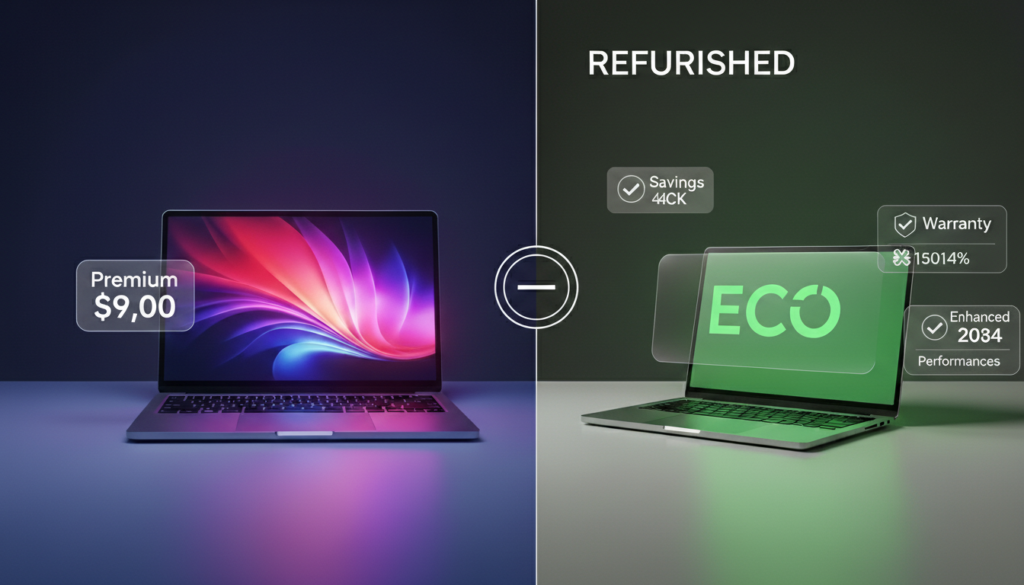
Yes, buy refurbished if: You want to save 30-70% for basic tasks like web browsing, school work, or office work. Buy from certified sellers with warranties.
No, buy new if: You need the latest features, longest warranty, or demanding software like video editing or gaming.
A new laptop costs $1,200. The same laptop refurbished costs $600. That’s $600 in your pocket.
What’s different? Will it break? Is it safe?
These questions stop thousands of buyers daily. Students worry about reliability. Workers need devices that won’t fail during meetings. Families want value without risk.
This guide answers one question: should I buy a refurbished laptop? You’ll learn what refurbished means, who benefits, and how to decide. No selling. Just facts to help you choose based on your needs.
By the end, you’ll know if refurbished fits you—or if new makes more sense.
Table of Contents
What "Should I Buy Refurbished Laptop" Really Means
This question has three parts:
What is refurbished?
A used laptop that professionals fix, test, and certify to work properly.
Why does this matter?
Refurbished costs 30-70% less while offering tested quality. That’s $300-$800 saved on average.
Who asks this?
Students with tight budgets, remote workers buying home computers, small businesses, and anyone wanting good tech without overpaying.
Understanding Refurbished Simply
Refurbished means pre-owned and professionally restored.
Think of certified pre-owned cars. Mechanics check everything, fix problems, and guarantee it runs before selling. That’s what happens with refurbished laptops.
For deeper understanding, read this comprehensive guide on what is a refurbished laptop from Dell to learn the complete restoration process.
Three Types: New vs Refurbished vs Used
Feature | New | Refurbished | Used |
Testing | Factory checked | 20+ professional checks | None |
Warranty | 1-3 years | 90 days-1 year | Rare |
Price | $800-2000+ | $400-1200 | $200-600 |
Risk Level | Lowest | Low-Medium | High |
Returns | 30-60 days | 14-30 days | Rarely allowed |
Condition | Perfect | May show wear | Unknown issues |
The Key Point: Refurbished sits between new and used. You get professional testing and warranty protection at lower cost.
Why Laptops Become Refurbished
Devices enter refurbishment for several reasons:
- Customer returns (changed mind within return window)
- Business upgrades (companies replace laptops regularly)
- Store displays (used for demos)
- Trade-ins (upgrading to newer models)
- Open-box items (box opened but never actually used)
The global refurbished laptop market reached $21.7 billion and keeps growing. Small businesses and schools drive growth because of limited budgets.
How Refurbishment Actually Works
Understanding the process builds trust.
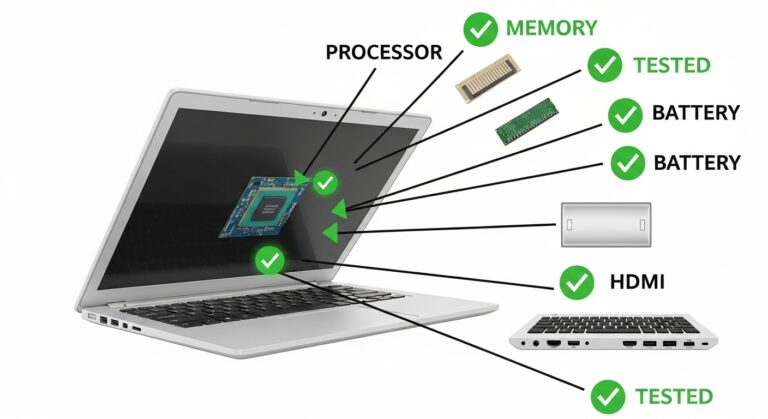
What Gets Tested (20+ Point Check)
Every refurbished laptop gets completely tested:
Hardware Checks:
- Processor speed and stability
- Memory function
- Storage drive health
- Screen quality (no dead pixels)
- Every keyboard key tested
- Trackpad accuracy
- Battery capacity measured
- All ports (USB, HDMI, audio)
- WiFi and Bluetooth
- Webcam and microphone
- Cooling system
Laptops that fail critical tests don’t get sold. Only working devices move forward.
Parts That Get Replaced
Broken or worn parts get swapped with new ones:
- Batteries (replaced most often—they wear with use)
- Storage drives (broken drives replaced, often upgraded to faster SSDs)
- Memory (faulty RAM swapped)
- Keyboards (non-working keys)
- Screens (cracks or dead pixels)
- Cooling fans (noisy or broken)
The goal: Make it work like new even if it looks used.
Data Wiping for Safety
Your privacy matters. Professional shops follow strict rules:
- Complete hard drive erasure (data can’t be recovered)
- Fresh operating system installed
- All previous owner data permanently removed
- Latest security updates added
This protects old owners and gives you a clean device.
Understanding Laptop Grades
Grades show appearance only. All grades work the same.
Grade | Appearance | What You See | Savings |
Grade A | Nearly new | No visible scratches | 30-40% off |
Grade B | Light wear | Minor marks | 40-50% off |
Grade C | Used | Clear scratches | 50-60% off |
Grade D | Heavy wear | Significant damage | 60-70% off |
Important: Grade C laptops work exactly like Grade A. The difference is just scratches. If you don’t care about appearance, Grade C saves the most money.
Market data shows Grade A devices account for nearly half of all sales, showing many buyers want near-perfect appearance.
Students
What They Need:
- Take notes in class
- Write papers and assignments
- Research online
- Watch lecture videos
- Use basic software
Why Refurbished Works:
- Saves $300-$800 on tight student budgets
- Good enough for coursework
- Warranty covers school year
- Classes don’t need latest tech
What to Check: Battery health for moving around campus.
Discover more in this detailed guide on refurbished laptops for students with specific recommendations and buying tips.
Remote Workers
What They Need:
- Video calls (Zoom, Teams, Google Meet)
- Email and calendar management
- Documents and spreadsheets
- Cloud-based software
- Project management tools
Why Refurbished Works:
- Affordable home office setup
- Business-quality laptops available from corporate leases
- Reliable for daily work tasks
- Good enough for most jobs
What to Check: Webcam and microphone quality for video meetings.
Small Businesses
What They Need:
- Accounting and invoicing software
- Customer relationship management
- Email and marketing platforms
- Inventory tracking
- Team communication tools
Why Refurbished Works:
- Equip entire team affordably
- Buy multiple units without huge expense
- Strong business laptops commonly available
- Saves thousands compared to buying new
What to Check: Buy from the same seller for consistent quality across the team.
Home Users
What They Need:
- Browse websites
- Stream Netflix and YouTube
- Check email
- Online shopping
- View and organize photos
Why Refurbished Works:
- Don’t need latest technology
- Save 30-50% easily
- Perfect for everyday tasks
- Lower risk when needs are basic
What to Check: Basic specs work fine (8GB memory, 256GB storage).
NOT Good For Heavy Users
Avoid Refurbished If You:
- Edit 4K videos professionally
- Create 3D graphics and animations
- Play newest games at high settings
- Develop AI or machine learning software
- Need absolute latest features
Why Buy New Instead:
- Need maximum processing power
- Latest graphics cards required
- Longest warranty critical
- Top performance matters for work
Real Benefits of Refurbished
Save Serious Money
How Much You Actually Save:
- Grade A: 30-40% less than new
- Grade B: 40-50% less
- Grade C: 50-60% less
- Grade D: 60-70% less
Real Price Examples:
- New Dell laptop: $1,400 → Refurbished: $700 (save $700)
- New MacBook: $1,299 → Apple refurbished: $929 (save $370)
- New ThinkPad: $1,100 → Refurbished: $550 (save $550)
Better Specs for the Same Money: $800 buys an entry-level new laptop. The same $800 buys refurbished with a faster processor, more memory (16GB vs 8GB), bigger storage (512GB vs 256GB), and better build quality (metal vs plastic).
Professional Testing Removes Risk
Unlike used laptops sold “as is,” refurbished undergoes:
- 20+ point hardware inspections
- Stress testing under heavy use
- Every component checked individually
- Performance benchmarking
- Final quality verification
Plus Protection:
- 90-day to 1-year warranty included
- Defects get covered and fixed
- 14-30 day return windows
- Customer support available
This testing removes the uncertainty of buying used devices.
Help the Environment
Electronic waste creates massive problems. Choosing refurbished:
- Reduces e-waste (millions of computers discarded yearly)
- Extends device lifespan significantly
- Saves approximately 330kg CO2 emissions per device
- Supports circular economy principles
- Keeps working laptops out of landfills
Your purchase decision makes real environmental impact.
Access Better Build Quality
Many refurbished laptops came from businesses. Business laptops are made with metal (not plastic), built tougher, have better keyboards, cool better, and last longer.
A business-grade ThinkPad often outlasts new cheap consumer laptops because it was designed for daily professional use.
Problems You Should Know
Older Technology
The Reality:
- Most refurbished are 2-4 years behind current models
- Specs trail by 1-2 generations
- Missing newest features (latest processors, AI chips)
- Slower than current-generation models
When This Matters:
- Gaming at high settings
- 4K video editing
- Cutting-edge software requirements
- Want device to last 5+ years
When It Doesn’t Matter:
- Web browsing and email
- Office productivity work
- Streaming video
- Standard business applications
- Everyday computing tasks
For most people, 2-3 year old laptops work perfectly fine. Web browsing hasn’t fundamentally changed.
Battery Concerns
What to Know:
- Not all shops replace batteries
- Original batteries have reduced capacity
- Expect 60-80% original capacity unless stated “new battery”
- Battery replacement later costs $50-$150
Questions to Always Ask:
- “Is the battery new or original?”
- “What’s the battery health percentage?”
- “How many charge cycles has it gone through?”
To understand lifespan and maintenance, read this helpful article on how long refurbished laptops last with care tips.
Cosmetic Wear
What You’ll See:
- Scratches on outer case
- Scuff marks from use
- Keyboard shine from typing
- Screen bezel marks
Remember: Scratches don’t affect performance. Grade C performs identically to Grade A.
When Appearance Matters:
- Client-facing meetings (choose Grade A)
- Professional image important (choose Grade B)
- Personal use only (Grade C saves most money)
Shorter Warranties
The Difference:
- Refurbished: 90 days to 1 year
- New: 1-3 years standard
- Less time to discover hidden problems
- Higher risk after warranty expires
Protection Options:
- Some sellers offer extended warranties (extra cost)
- Adds protection but increases total price
- Read warranty terms carefully before buying
For comprehensive coverage details, check this expert guide on refurbished laptop warranty options and claim processes.
When Each Option Makes Sense
Buy Refurbished If You:
✓ Want to save $300-$800
✓ Need laptop for school, work, or home use
✓ Do basic to medium tasks daily
✓ Care about environmental impact
✓ Have limited budget
✓ Want premium brand affordably
✓ Can accept minor scratches
Buy New If You:
✓ Need absolute latest features
✓ Do gaming or professional video editing
✓ Want 2-3 year warranty coverage
✓ Latest technology essential
✓ Business-critical applications
✓ Need perfect appearance
✓ Plan to keep 5+ years
Never Buy Used If:
✗ No testing or certification done
✗ No warranty protection included
✗ Unknown problems lurking
✗ Can’t return it if issues arise
✗ High risk of complete failure
What to Check Before Buying
Seller Reputation Matters Most
- Apple Certified Refurbished – 1-year warranty, 14-day returns
- Dell Outlet – Direct from manufacturer
- Best Buy Refurbished – 90-day warranty, in-store support
- Amazon Renewed – 90-day returns, buyer protection
- HP Renew, Lenovo Outlet – Manufacturer direct
Warning Signs to Avoid:
- No return policy listed
- No warranty offered at all
- Unclear refurbishment process
- Mostly negative customer reviews
- Prices suspiciously low
Warranty Terms
Minimum Standards:
- 90-day coverage minimum
- Clear details on what’s covered
- Company actually backs warranty
Better Options:
- 1-year warranty included
- Option to purchase extended coverage
- Covers both parts and labor
Return Policy
Look For:
- Minimum 14-day return window
- Full refund option available
- Clear, simple return process
- Free return shipping preferred
Minimum Specifications
For Basic Use:
- Processor: Intel i5 or AMD Ryzen 5 (8th generation or newer)
- Memory: 8GB minimum (16GB much better)
- Storage: 256GB SSD minimum
- Operating System: Windows 10/11 or macOS 10.14+
- Battery: 4+ hours capacity minimum
For Better Performance:
- 16GB memory
- 512GB SSD storage
- Newer processor generation
- Dedicated graphics card (if needed for your work)
Common Myths Explained
Refurbished Means Broken
Truth: Most had no problems at all. Common sources are customer returns (changed mind), cosmetic issues (small scratch), business upgrades (normal replacement cycle), display models (used in stores), and never-used open-box items. All actual problems get fixed before selling.
Same As Used
Truth: Huge difference exists.
Used: No fixes, no testing, no warranty, high failure risk
Refurbished: Professional fixes, 20+ tests, warranty included, low risk
To understand the critical differences clearly, read this comparison on refurbished vs used laptops from industry experts.
All Sellers Equal
Truth: Quality varies dramatically.
Manufacturer Refurbished: Highest standards, original parts used
Store Refurbished: Good standards, decent warranty terms
Unknown Third-Party Shops: Quality unpredictable
Always research seller reputation carefully before purchasing.
Can't Return It
Truth: Most reputable sellers offer returns just like new products. Expect 14-30 days typically. Amazon gives 90 days. Always verify the specific return policy before buying.
Final Decision Guide
Refurbished laptops offer reliable performance at 30-70% lower cost than new. Professional restoration includes thorough testing, necessary repairs, and warranty protection.
The Key Factors:
Budget: Refurbished saves $300-$800 on average
Needs: Works excellently for basic-medium tasks
Quality: Buy from certified sellers only
Warranty: Shorter than new but still protected
Appearance: Lower grades save more money
Who Benefits:
- Students with limited budgets
- Home users doing everyday tasks
- Small businesses buying multiple laptops
- Anyone wanting premium brands affordably
- People caring about environmental impact
Who Should Buy New:
- Gamers needing latest graphics
- Video editors working with 4K content
- Users wanting 5+ year lifespan
- Those needing absolute latest features
Make your choice based on real needs, not fears. Refurbished from trusted sellers is reliable, thoroughly tested, and smart shopping-not risky business.