
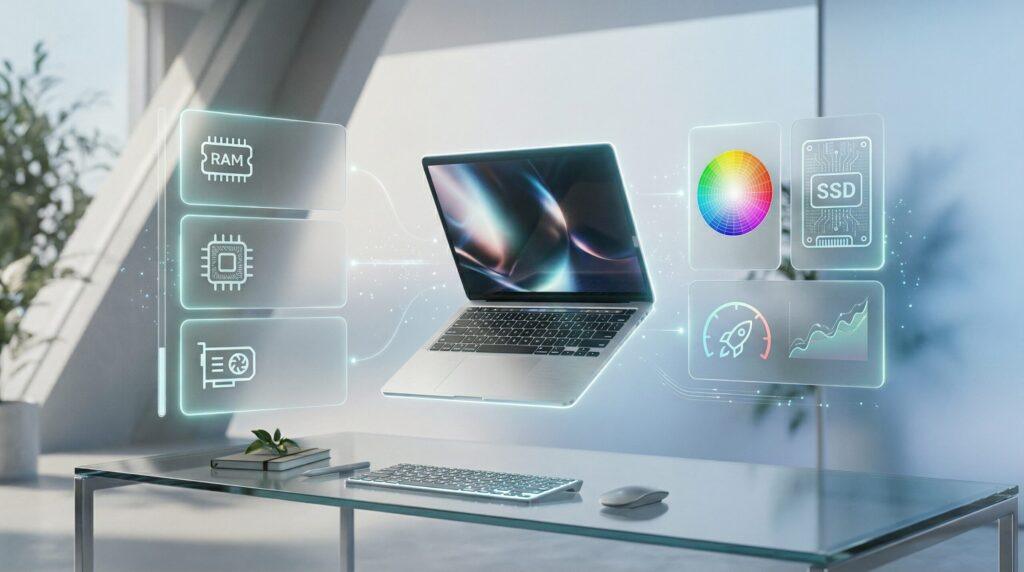
A good photo editing laptop needs at least 16GB RAM, a fast SSD, a modern multi-core CPU, and a color-accurate display (100% sRGB or higher). Professionals benefit from 32GB+ RAM, 4K display, and dedicated GPU for smoother performance with RAW files and AI editing tools.
Choosing the right laptop for photo editing can feel overwhelming. With so many specs and features to consider, where do you even start?
The hardware you choose directly affects editing accuracy and speed. A slow laptop creates frustration and interrupts your creative flow. The right laptop makes editing smooth and helps you focus on your work instead of waiting for files to load.
This guide explains exactly what laptop features matter most for photo editing. You’ll learn about processors, memory, storage, display quality, and graphics power. We’ll cover entry-level needs through professional requirements. Whether you’re a hobbyist or a professional photographer, understanding these components helps you make informed decisions that match your actual needs and budget.
Table of Contents
Understanding Photo Editing Hardware Requirements
Photo editing tasks demand specific hardware capabilities. Basic photo edits like cropping and exposure adjustments need less power. Professional workflows involving RAW files, layers, and batch processing require significantly more computing resources.
What Photo Editing Actually Requires
When you edit photos, your laptop handles multiple tasks simultaneously. Opening large image files uses memory. Applying filters and adjustments relies on processor speed. Exporting finished images combines both CPU and GPU power.
Modern photo editing software like Adobe Photoshop and Lightroom has become more demanding over time. Current software versions include AI-powered features like denoising and generative fill that require substantial processing power.
How Photo Editing Needs Have Evolved
Display accuracy has grown increasingly important as camera technology advances. Higher megapixel counts mean larger files. More advanced editing techniques require faster hardware to maintain smooth workflows.
Remote work and freelance photography have made laptops essential tools. Photographers need portable systems capable of handling professional editing tasks anywhere.
Essential Laptop Components for Photo Editing
Understanding core laptop components helps you identify what actually matters for your editing work.
Processor (CPU): The Brain of Your Laptop
The CPU handles most photo editing calculations. When you apply adjustments or filters, the processor does the work.
What to look for:
- Modern multi-core processors (Intel Core i5/i7, AMD Ryzen 5/7, or Apple M-series chips)
- Higher clock speeds for faster single-task performance
- Multiple cores for better multitasking and batch processing
Recent processor technology has made significant advances. Intel’s latest Core Ultra processors and AMD’s Ryzen chips offer excellent performance. Apple’s M4 chips lead in power efficiency and speed for Mac users.
For basic editing, an Intel Core i5 or AMD Ryzen 5 works well. Professional work benefits from i7/i9 or Ryzen 7/9 processors. Apple’s M3 or M4 chips handle photo editing exceptionally well.
Memory (RAM): Your Working Space
RAM determines how many tasks your laptop can handle simultaneously. More RAM means smoother editing, especially with large files.
RAM recommendations based on workflow:
Editing Level | Minimum RAM | Recommended RAM | Ideal for |
Casual editing | 8GB | 16GB | Basic adjustments, small files |
Advanced hobbyist | 16GB | 32GB | RAW files, moderate layers |
Professional work | 32GB | 64GB | Large files, batch processing, AI features |
Industry experts suggest that 16GB has become the baseline for serious photo editing. However, professionals working with high-resolution RAW files find 32GB to be the new standard minimum.
When using AI-powered features like noise reduction, 64GB becomes beneficial for smooth performance. Memory usage increases as you keep multiple applications open or work with many layers in Photoshop.
Storage: Speed Matters More Than Size
Storage type affects how quickly files open and save. SSD (Solid State Drive) storage is essential for photo editing. HDDs (Hard Disk Drives) are too slow for modern workflows.
Storage considerations:
- Minimum 512GB SSD for basic work
- 1TB or larger for professional use
- NVMe M.2 SSDs offer fastest performance
- External SSDs work well for file archives
Fast storage speeds up every part of your workflow. Opening large RAW files becomes instant. Exporting multiple photos takes less time. Your entire editing experience feels more responsive.
Graphics Processing (GPU): When It Matters
Many photo editors wonder if they need a dedicated graphics card. The answer depends on your editing software and techniques.
GPU acceleration benefits:
- Faster preview rendering in Lightroom
- Smoother performance with AI features
- Better handling of high-resolution displays
- Improved performance in effects-heavy workflows
Adobe software supports GPU acceleration for specific tasks. Features like generative fill, neural filters, and AI denoising benefit from dedicated GPUs.
For most photo editing, integrated graphics (Intel Iris Xe, AMD Radeon, Apple integrated) work adequately. Dedicated GPUs (NVIDIA GeForce RTX series) help with AI features and complex adjustments. Professional workflows benefit from at least 4GB of dedicated video memory.
Display Quality: Your Digital Canvas
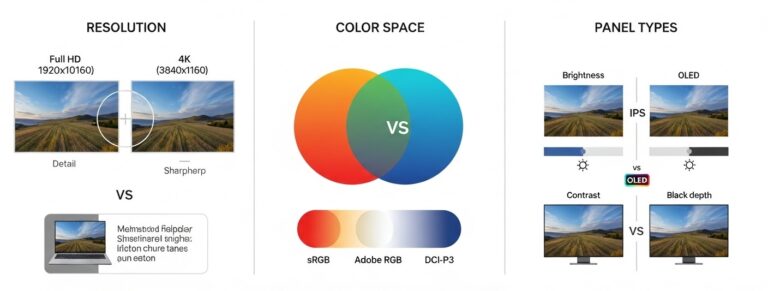
Display quality directly impacts editing accuracy. What you see on screen must match how images look when exported or printed.
Critical display specifications:
Feature | Minimum Standard | Professional Standard |
Resolution | Full HD (1920×1080) | 4K (3840×2160) |
Color gamut | 100% sRGB | 95%+ Adobe RGB, DCI-P3 |
Panel type | IPS | IPS or OLED |
Size | 14 inches | 15-17 inches |
Brightness | 300 nits | 400+ nits |
Color accuracy remains crucial for professional work. Displays covering at least 100% sRGB color space ensure accurate color representation. Photographers working for print need Adobe RGB coverage as well.
4K displays provide more detail for zooming into photos. Larger screens (15-17 inches) offer more workspace for editing tools and panels. OLED panels deliver superior contrast ratios and color depth compared to standard IPS displays.
Battery Life and Portability
Photo editing drains battery quickly. Editing workloads use significant processing power, which consumes energy faster than basic tasks.
Professional laptops typically offer 6-10 hours of battery life during editing. Apple’s M-series MacBooks deliver exceptional battery performance-often 15-20 hours even during intensive editing.
Portability considerations:
- Laptops under 4 pounds work well for travel
- 15-16 inch models balance screen size with portability
- Consider weight if you edit on location frequently
Ports and Connectivity
Having the right ports matters for photographers who regularly transfer files from cameras.
Essential connectivity:
- SD card reader for direct camera card access
- USB-C/Thunderbolt for fast external drive connections
- HDMI for external monitor support
- USB-A ports for legacy devices and card readers
Modern professional laptops often include SD card slots built-in. This eliminates the need for external card readers. Thunderbolt ports enable fast data transfer and can drive multiple external displays.
How Laptop Specs Support Your Editing Workflow
Understanding how hardware works during actual editing helps you prioritize components.
Image Import and File Handling
When you import photos from your camera, storage speed matters most. Fast SSD storage and USB-C ports enable quick file transfers.
Your laptop reads image data from storage into RAM. This is where having sufficient memory becomes important. 32MP RAW files can use 50-100MB of RAM each when opened.
Editing and Adjustment Process
During active editing, multiple components work together:
CPU usage:
- Applying filters and adjustments
- Processing layer calculations
- Running batch operations
RAM usage:
- Holding open image files
- Storing editing history
- Managing layer data
GPU usage:
- Accelerating preview rendering
- Supporting AI-powered tools
- Driving high-resolution displays
The more layers and adjustments you add, the more resources your laptop needs. Professional photographers working with extensive layer stacks benefit significantly from 32GB or more RAM.
Exporting and Saving Images
Export speed depends primarily on CPU performance. Converting and saving multiple files involves intensive calculations.
Dedicated GPUs can accelerate certain export tasks. Storage speed affects how quickly files write to your drive. Exporting batches of edited photos to external drives benefits from fast Thunderbolt connections.
Practical Use Cases and Requirements
Different photographers have different hardware needs. Matching specs to your actual use prevents overspending or underbuying.
Professional and Business Photography
Professional photographers need reliable performance. Client deadlines don’t wait for slow computers.
Professional requirements:
- 32-64GB RAM for smooth multitasking
- High-end CPUs (Intel Core i7/i9, AMD Ryzen 7/9, Apple M3 Pro/Max)
- Color-accurate displays (100% sRGB minimum, Adobe RGB preferred)
- 1TB+ SSD storage
- Dedicated GPU for AI features
Photography studios and agencies benefit from powerful systems that handle high-volume editing. Wedding photographers processing hundreds of photos need robust hardware for efficient batch processing.
Personal and Educational Use
Hobby photographers and students can work effectively with mid-range hardware.
Hobbyist requirements:
- 16GB RAM
- Mid-range CPU (Intel Core i5, AMD Ryzen 5, Apple M2)
- Full HD display with good color accuracy
- 512GB SSD
- Integrated graphics usually sufficient
Students learning photo editing benefit from understanding these requirements early. Starting with appropriate hardware prevents frustration and allows focus on developing editing skills rather than fighting slow computers.
Industry Applications
Media companies, marketing agencies, and content creation teams all rely on photo editing. Their needs vary based on output requirements and deadlines.
E-commerce businesses editing product photos need fast turnaround times. Social media teams benefit from portable systems for on-location shooting and editing. Marketing agencies require color-accurate displays to ensure brand consistency.
Common Challenges When Choosing Photo Editing Laptops
Understanding typical mistakes helps you avoid them when shopping for a laptop.
Overestimating Hardware Needs
Many beginners buy more laptops than they need. A $3,000 professional workstation won’t improve basic photo adjustments.
Match your laptop specs to your actual editing level. Casual photographers editing vacation photos don’t need 64GB RAM. Consider your current skills and near-future needs, not aspirational professional workflows you might never use.
Underestimating Display Importance
Many buyers focus entirely on processor speed and RAM while ignoring display quality. This creates problems for photo work.
Poor color accuracy means your edits look different on other devices. Photos that look perfect on your laptop might appear oversaturated or too dark when clients view them. Display quality should be a top priority when selecting photo editing laptops.
Portability vs. Performance Trade-Offs
More powerful laptops typically weigh more and run hotter. Compact ultraportable laptops sacrifice some performance for lighter weight.
17-inch laptops offer large screens but become cumbersome for travel. 13-14 inch models work better for mobility but provide less workspace. Consider where you’ll actually edit most often. Desktop editing benefits from larger screens. On-location work needs portability.
Comparing Photo Editing Requirements
Understanding how photo editing differs from related tasks helps clarify hardware priorities.
Photo Editing vs. Video Editing Laptops
Video editing demands significantly more processing power than photo editing. Video work benefits more from GPU performance and requires much more storage space.
Photo editing prioritizes display quality and color accuracy over raw GPU power. Both benefit from substantial RAM, but video editing typically needs more (64GB+).
Laptops vs. Desktop Systems
Desktop systems offer more power for less money. They provide better cooling for sustained performance. Upgradability is easier with desktops.
Laptops provide essential flexibility for photographers. On-location editing, client meetings, and travel work all require portable systems. Many photographers use laptops for fieldwork and desktops for heavy studio editing.
Entry-Level vs. Professional Requirements
The gap between entry-level and professional photo editing requirements is substantial but scalable.
Entry-level setup:
- Handles basic adjustments efficiently
- Works with JPEG files smoothly
- Manages small RAW file batches
- Suitable for learning and skill development
Professional setup:
- Processes large RAW file batches quickly
- Handles complex layer stacks without slowdown
- Supports AI-powered features effectively
- Delivers consistent color accuracy
Many photographers start with entry-level systems and upgrade as skills and client demands increase. Understanding this progression helps make smarter purchase decisions.
Related Topics for Photo Editing Success
Choosing the right laptop is just one part of successful photo editing. Several related topics help photographers work more effectively.
Understanding what photo editing software works best for your needs helps you pick appropriate hardware. Different programs have varying system requirements.
Learning how display color accuracy affects creative work ensures your edits translate correctly across devices. Color management becomes crucial for professional photographers.
Exploring CPU vs. GPU performance for creative tasks helps you understand where to invest your budget. Not all creative work benefits equally from graphics card upgrades.
Investigating laptop performance and creative productivity reveals how hardware choices impact your actual workflow efficiency and creative output.
For photographers ready to purchase, checking out the best laptops for photo editing provides specific model recommendations at different price points.
Key Takeaways for Photo Editing Laptop Selection
Choosing a photo editing laptop requires balancing multiple hardware components. Display quality and RAM matter most for smooth, accurate editing. Fast SSD storage improves overall responsiveness. Modern processors from Intel, AMD, or Apple all perform well for photo work.
Professional photographers need color-accurate displays (100% sRGB or better), 32GB+ RAM, and powerful CPUs. Hobbyists can work effectively with 16GB RAM and mid-range processors. Both benefit from fast SSD storage.
Don’t overlook display quality when focusing on processor specifications. Poor color accuracy creates bigger problems than slightly slower processing speeds. Match your laptop specs to your actual editing level and near-term growth, not aspirational professional workflows.
Understanding how different components support your specific editing workflow helps you invest budget wisely. CPU handles adjustments and calculations. RAM holds your working files. Storage speed affects responsiveness. Display quality ensures accurate color representation.
Making informed hardware decisions based on your actual needs and budget creates better editing experiences. Whether you’re a student learning photo editing or a professional photographer handling client work, the right laptop enhances creativity rather than hindering it.