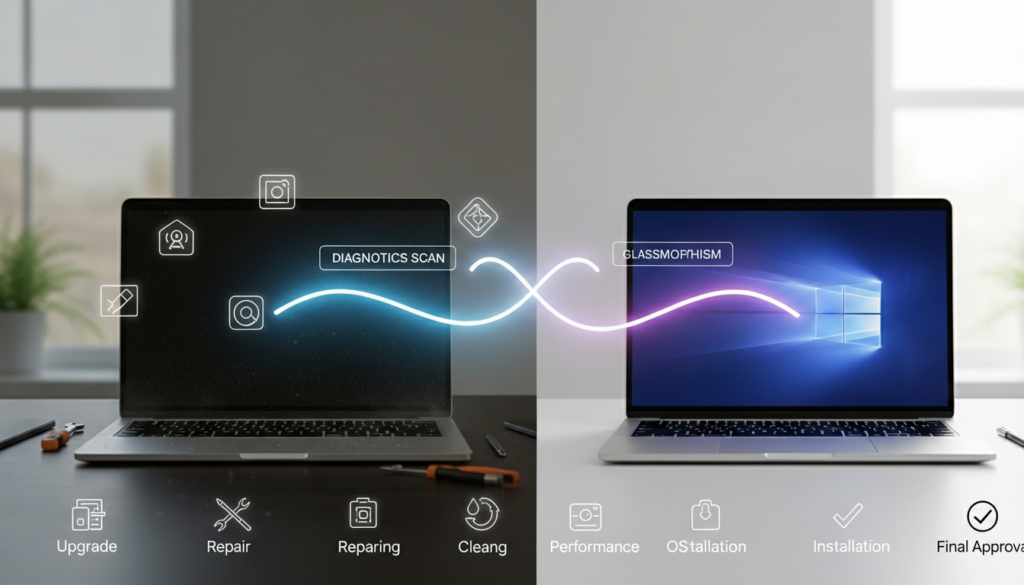
A refurbished laptop is a pre-owned device that has been professionally inspected, repaired, cleaned, and tested to work like new. Faulty parts are replaced and a fresh operating system is installed.
Unlike used laptops, refurbished models come with quality checks and a warranty (usually 3–12 months). You can save 30–50% compared to buying new while still getting reliable performance.
Laptop prices keep climbing, but there’s a smarter way to get quality performance without breaking the bank. A refurbished laptop is a previously owned computer that professionals have restored, tested, and certified to work like new.
Unlike buying used devices “as-is,” refurbished laptops go through strict quality checks. Technicians inspect every part, replace broken components, and guarantee performance with warranties. You save 30-50% compared to new models while getting reliable technology.
This guide breaks down exactly what refurbished means, how the restoration process works, different quality grades, and what to check before buying. Whether you’re a student on a budget or running a small business, understanding refurbished laptops helps you make smart tech decisions.
Table of Contents
What Is a Refurbished Laptop?
A refurbished laptop is a pre-owned device that has been professionally inspected, repaired, tested, and restored to working condition. Think of it as a car getting serviced before resale-technicians fix issues, replace worn parts, and certify everything works properly.
Why Laptops Get Refurbished
Devices enter the refurbishment cycle for several reasons:
- Customer returns within return windows (changed mind, minor defects)
- Business lease returns when companies upgrade equipment
- Store display models used for demonstrations
- Trade-ins when customers upgrade to newer models
- Open-box items never actually used
Who Does the Refurbishing?
Devices enter the refurbishment cycle for several reasons:
- Customer returns within return windows (changed mind, minor defects)
- Business lease returns when companies upgrade equipment
- Store display models used for demonstrations
- Trade-ins when customers upgrade to newer models
- Open-box items never actually used
The Key Difference: Refurbished vs. Used
Feature | Refurbished | Used |
Testing | Full diagnostics | None |
Repairs | Professional fixes | Sold as-is |
Cleaning | Deep internal/external | Maybe wiped down |
Warranty | 90 days to 1 year | Rarely included |
Quality check | Certified standards | No inspection |
Used laptops get sold in whatever condition they’re in. Refurbished laptops must pass quality standards before resale.
Understanding Refurbished Laptop Types
Not all refurbished laptops meet the same standards. Knowing the types helps you choose wisely.
Manufacturer Refurbished (Highest Quality)
The original brand restores these devices. Dell refurbishes Dell laptops, Apple refurbishes MacBooks, and so on.
Benefits:
- Factory specifications and original parts
- Strictest quality control
- Best warranty coverage (often 1 year)
- Latest software updates included
Major retailers like Best Buy or Amazon Renewed handle the restoration. Quality varies by retailer but generally includes solid testing.
What to expect:
- Basic repairs and component replacement
- 90-day to 6-month warranties typical
- Multiple brands available
- Lower prices than manufacturer refurbished
Certified Pre-Owned (Premium Tier)
Extra certification beyond standard refurbishment. These undergo additional inspection layers and sometimes include extended support.
Third-Party Refurbished (Variable Quality)
Independent companies specialize in laptop restoration. Quality ranges from excellent to questionable.
Important: Always check:
- Company reviews and ratings
- Warranty terms offered
- Return policy details
- Years in business
The Refurbished Laptop Grading System
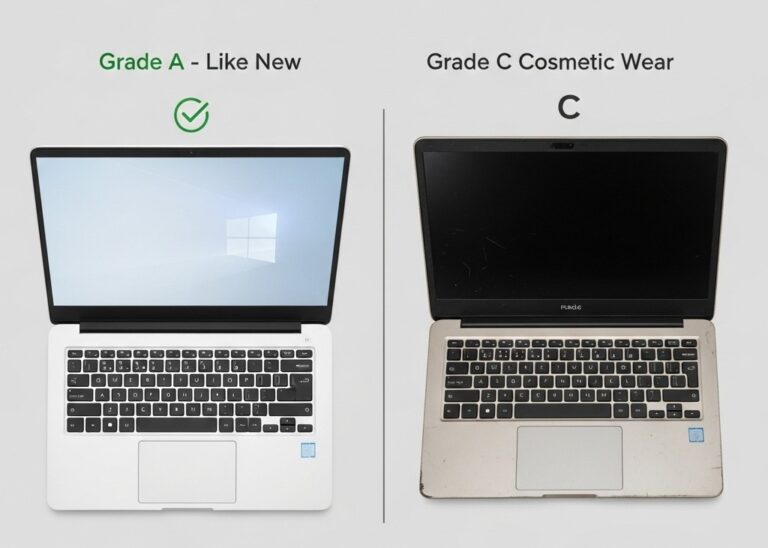
Grades measure appearance only, not performance. All grades work properly.
Grade | Condition | What You’ll See |
Grade A | Like-new | No visible wear, looks brand new |
Grade B | Light wear | Minor scratches, small marks |
Grade C | Moderate wear | Noticeable scratches, visible use |
Grade D | Heavy wear | Significant cosmetic damage |
Pro tip: A Grade C laptop with scratches performs exactly like a Grade A. If appearance doesn’t matter, lower grades save more money.
How Laptop Refurbishment Works: 6-Step Process
Understanding the restoration process builds confidence in buying refurbished.
1. Initial Inspection
Technicians run complete hardware diagnostics. Every component gets tested for processor, memory, storage, ports, screen, keyboard, and battery. Problems get documented.
2. Repair and Replacement
Faulty parts get swapped with new or certified components. Common replacements include:
- Batteries (often the first to wear out)
- Hard drives or SSDs
- RAM modules
- Keyboards and trackpads
- Screen repairs
3. Deep Cleaning
Interior cleaning removes dust from fans, vents, and motherboard. Exterior surfaces get sanitized completely. This improves cooling and hygiene.
4. Software Reset
A fresh operating system installed from scratch. Previous owner data gets completely erased. All drivers and updates install automatically.
5. Performance Testing
Stress tests verify the CPU, GPU, and RAM work under load. Battery charging gets tested. Every port, key, and function gets checked individually.
Who Benefits from Refurbished Laptops?
Students
Handle schoolwork, research, and online classes easily. Budget-friendly pricing fits educational expenses. Reliable for word processing, web browsing, and basic software.
For detailed evaluation guidance, Consumer Reports provides expert buying tips for students and everyday users.
Small Businesses
Equip entire teams cost-effectively. Adequate performance for office tasks like email, spreadsheets, and video calls. Buying multiple units saves thousands compared to new devices.
PCWorld’s refurbished laptop guide offers business-focused recommendations and vendor comparisons.
Budget-Smart Buyers
Access premium brands (MacBook, ThinkPad) at affordable prices. Get better specifications than entry-level new laptops for the same cost. Quality performance without premium pricing.
Casual Home Users
Perfect for web browsing, streaming videos, and checking email. The latest technology isn’t necessary for everyday tasks. Cost savings matter more than cutting-edge features.
Eco-Conscious Consumers
Reduce electronic waste by extending device lifecycles. Keep functional laptops out of landfills. Support sustainable consumption habits.
The EPA’s sustainable electronics program explains environmental benefits of choosing refurbished devices.
Comparing Your Options
Aspect | New | Refurbished | Used |
Cost | $800-2000+ | $400-1200 | $200-600 |
Condition | Pristine | Tested, certified | As-is |
Warranty | 1-3 years | 90 days-1 year | None usually |
Reliability | Latest specs | Proven parts | Unknown |
Quality Check | Factory | Professional | No inspection |
Return Window | 30-60 days | 14-30 days | Rare |
Risk Level | Lowest | Low-Medium | High |
Bottom line: Refurbished sits between new and used—offering quality assurance with significant savings.
What to Know Before Buying
Limited Stock
Popular models sell quickly. Selection depends on return and trade-in volume. You might wait for specific configurations.
Cosmetic Marks
Lower grades show wear. Check grading descriptions carefully. Know what appearance level you’ll accept.
Shorter Warranties
Expect 90 days to 1 year coverage versus 1-3 years for new. Some sellers offer extended warranty purchases.
Previous Generation Tech
Most refurbished laptops are older models. Specifications may trail current releases by 1-2 generations. Fine for most users, but not ideal if you need cutting-edge performance.
Battery Health Varies
Not all refurbishers replace batteries. Ask about battery health or replacement status. Reduced capacity possible with original batteries.
Quality Standards Differ
Not every refurbisher follows the same process. Buy from reputable sources only. Check reviews and certifications.
Understand what refurbished laptop warranties cover before purchasing.
Final Thoughts
Refurbished laptops deliver reliable performance at 30-50% lower costs than new models. Professional restoration includes inspection, repairs, testing, and warranty protection, major advantages over buying used devices.
Quality depends on the refurbisher. Stick with certified manufacturers or reputable retailers with strong track records. Check warranty terms, understand grading systems, and verify return policies before buying.
Students, small businesses, casual users, and budget-conscious buyers all benefit from refurbished options. You get functional technology at fair prices while reducing electronic waste.
The key is knowing what to expect. Refurbished doesn’t mean risky, it means restored, tested, and certified. Make informed choices by understanding the process, checking seller credentials, and matching device specs to your actual needs.
Frequently Asked Questions
Same thing; both mean professionally restored. "Renewed" is Amazon's specific branding for their refurbishment program.
Typically 3-5 years with proper care, matching new laptop lifespans. Actual duration depends on usage intensity and maintenance habits.
Yes, when purchased from certified manufacturers or reputable retailers who test devices and provide warranties.
Same thing-both mean professionally restored. "Renewed" is Amazon's specific branding for their refurbishment program.
Most certified sellers offer 14-30 day return policies. Always verify specific return terms before purchasing.